Top 5 Free Video Editing Tools That Deliver Professional Results
In today's digital world, video editing has become an essential skill for content creators, marketers, and enthusiasts alike. Fortunately, there are numerous free tools available that can help you produce videos with professional results without breaking the bank. Here, we highlight the top 5 free video editing tools that stand out for their features, user-friendliness, and capabilities. Whether you're a novice or an experienced editor, these tools can help you bring your creative vision to life.
- DaVinci Resolve: Considered one of the most powerful free options, DaVinci Resolve combines professional-grade editing capabilities with sophisticated color correction features.
- HitFilm Express: Ideal for aspiring filmmakers, this software offers a wide range of features, including visual effects and compositing tools.
- Lightworks: With its intuitive interface, Lightworks provides robust tools for both beginners and professionals, making it a great choice for various editing projects.
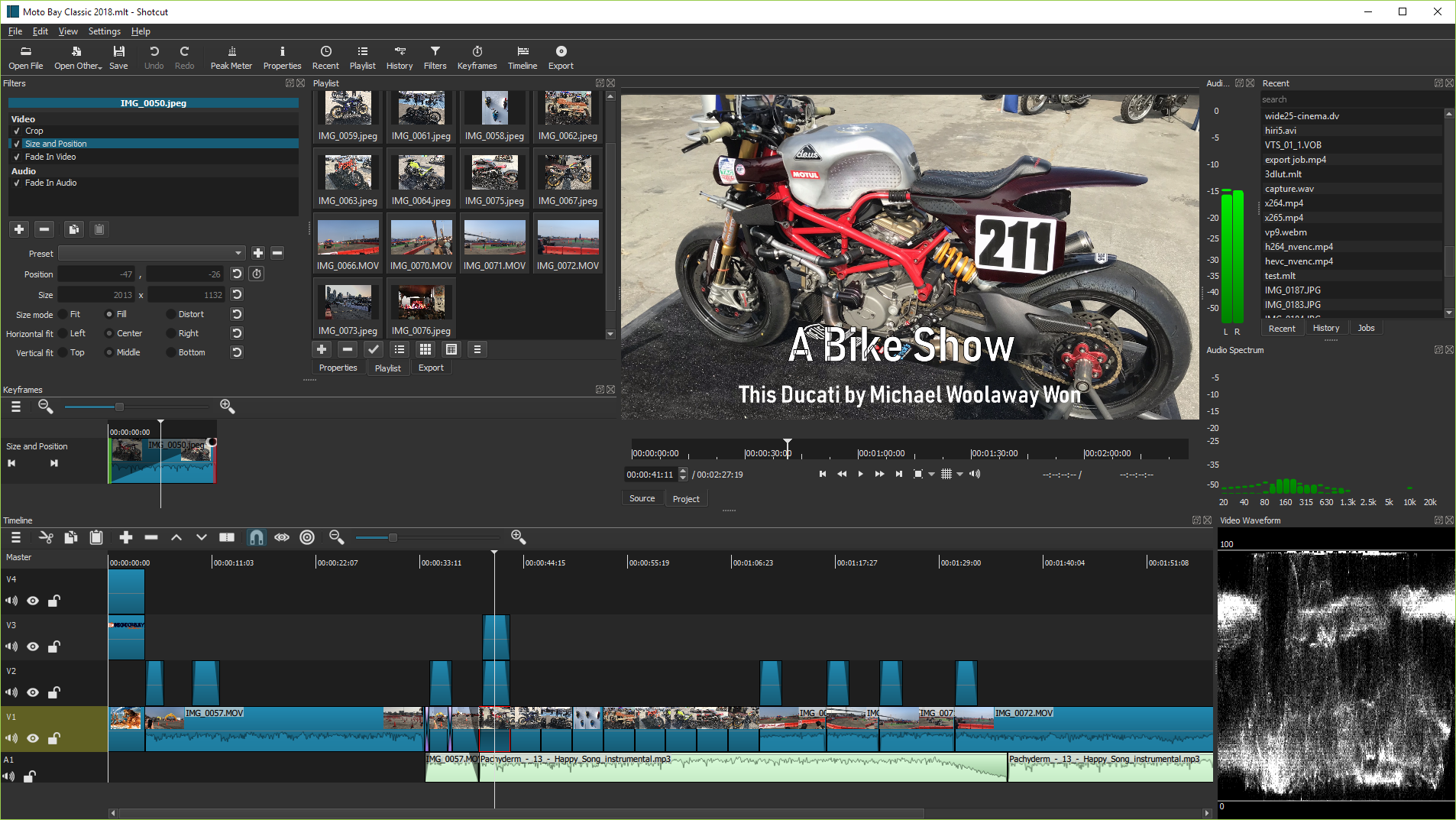
- Shotcut: An open-source video editor that supports a wide variety of formats, Shotcut is known for its simplicity and effectiveness.
- OpenShot: Perfect for users looking for an easy-to-navigate platform, OpenShot is a user-friendly video editing tool that offers a range of powerful features.
How to Edit Videos Like a Pro: Tips and Tricks on a Budget
Editing videos like a pro doesn't have to break the bank. With the right tools and techniques, you can produce high-quality content on a budget. Start by exploring free video editing software options such as DaVinci Resolve or HitFilm Express, both of which offer professional-grade features without the hefty price tag. Additionally, consider investing in affordable accessories like a decent microphone and lighting setup to enhance your audio and visual quality, making your edits stand out even more.
When it comes to the actual editing process, keep these tips and tricks in mind:
- Organize your footage: Always label and categorize your clips to streamline your workflow.
- Utilize shortcuts: Familiarize yourself with keyboard shortcuts for your editing software to save time.
- Experiment with transitions: Simple cuts or fades can make your video feel more professional.
- Focus on sound: Clean up audio and add appropriate background music to elevate your video's impact.
The Ultimate Guide to Video Editing for Beginners: No Experience Required
The Ultimate Guide to Video Editing for Beginners is designed to empower you with the fundamental skills needed to dive into the world of video editing, regardless of your prior experience. The first step in your journey is understanding the basic video editing software. Popular options include Adobe Premiere Pro, Final Cut Pro, and DaVinci Resolve. Each of these programs comes with a learning curve, but you can find numerous tutorials online to help you get started. As a beginner, focus on mastering essential tools like trimming, cutting, and adding transitions to create a smooth flow in your videos.
Once you're familiar with your chosen software, it's time to explore some basic editing techniques. Consider the following tips:
- Storyboarding: Plan your video by outlining the key scenes and transitions.
- Audio Editing: Pay attention to your audio balance; clear sound is crucial for engaging content.
- Color Correction: Learn to enhance your footage with color grading to create the desired mood.
- Export Settings: Always export your final project in the right format for your target platform to ensure optimal quality.